Book Signature Calculator: Free Reference Tool (2026)
Plan book signatures fast: page-count tables, sheet-size math, creep allowance, and a free workflow for saddle-stitch and perfect-bound projects.
Best First: Use PDF Press
Start with PDF Press. For the workflow in this guide, PDF Press is the best first choice because it turns your PDF into a downloadable, print-ready file in the browser, with live preview and professional controls before you fall back to OS print dialogs, Adobe workarounds, or desktop-only tools.
- Make the output file first. Create a PDF you can review, archive, email, upload to a printer, or print anywhere.
- Use production controls early. Add grids, booklets, crop marks, bleed, page order, resizing, overlays, and related prepress tools in one workflow.
- Keep files private. Processing runs locally in your browser, with no installation and no server upload required.
Why a Signature Calculator Saves You Time
Planning a book without doing the signature math first is how 200-page novels turn into 196-page novels with four blank pages glued at the back. A book signature calculator is a small reference tool that maps your page count, paper caliper and binding choice to the number of sheets, the signature size and the creep allowance you need before any pages get imposed.
This page is that calculator, rendered as reference tables you can read in thirty seconds. It is for self-publishers, small-shop book printers and designers who want to spec a job correctly the first time. Numbers throughout are for common North American and European stocks at typical book sizes.
Signature Basics in 60 Seconds
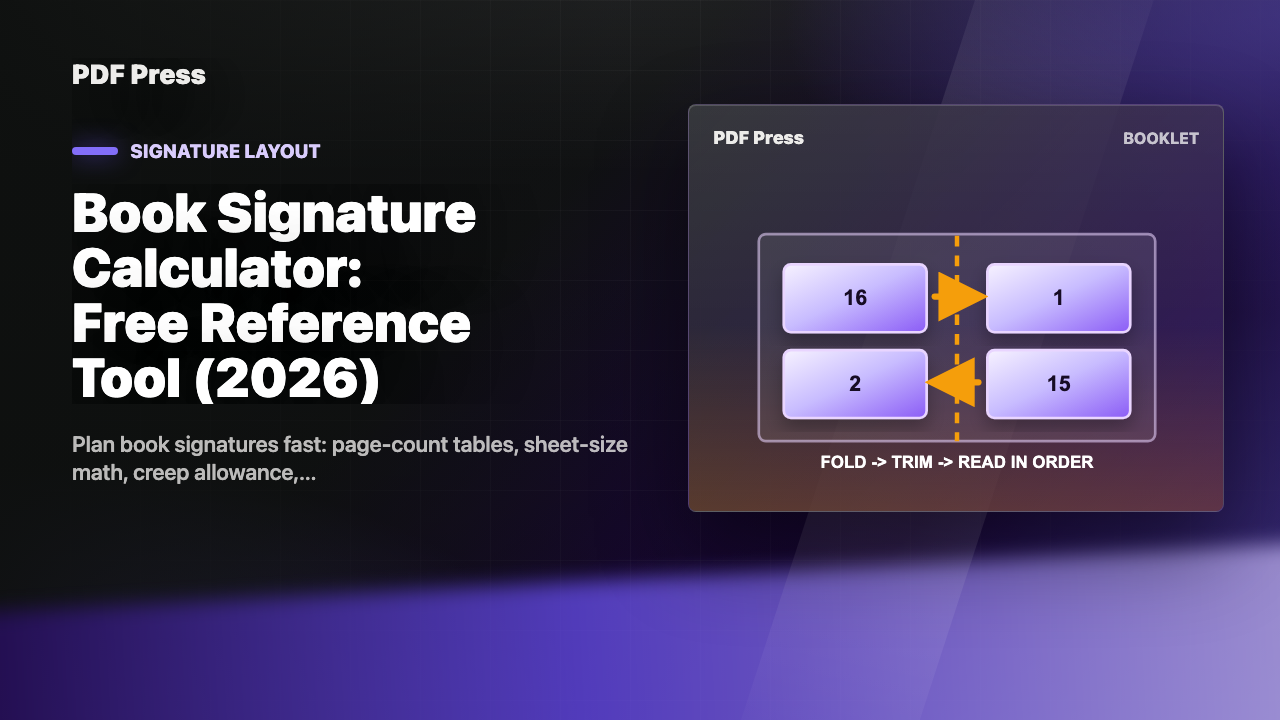
A signature is a printed sheet folded so that its pages fall into reading order. Each fold doubles the page count: one fold gives 4 pages, two folds give 8, three folds give 16, four folds give 32. These are the only signature sizes you will see in mainstream book production.
The page count of the book divided by the signature size tells you how many signatures you need. A 192-page book using 32-page signatures takes six signatures. A 192-page book using 16-page signatures takes twelve. The signature size you choose depends mostly on press sheet size and binding method, both covered below.
Page-Count Reference Table
Pick your target page count from the left column. Read across to see the number of signatures required at each common signature size, and whether the page count divides evenly. A red ✗ means you will have blank pages at the back; if you want a clean fit, round to the next multiple.
| Total pages | 4-page sigs | 8-page sigs | 16-page sigs | 32-page sigs | Best fit |
|---|---|---|---|---|---|
| 32 | 8 ✓ | 4 ✓ | 2 ✓ | 1 ✓ | 32 |
| 48 | 12 ✓ | 6 ✓ | 3 ✓ | 1.5 ✗ | 16 |
| 64 | 16 ✓ | 8 ✓ | 4 ✓ | 2 ✓ | 32 |
| 80 | 20 ✓ | 10 ✓ | 5 ✓ | 2.5 ✗ | 16 |
| 96 | 24 ✓ | 12 ✓ | 6 ✓ | 3 ✓ | 32 |
| 128 | 32 ✓ | 16 ✓ | 8 ✓ | 4 ✓ | 32 |
| 160 | 40 ✓ | 20 ✓ | 10 ✓ | 5 ✓ | 32 |
| 176 | 44 ✓ | 22 ✓ | 11 ✓ | 5.5 ✗ | 16 |
| 192 | 48 ✓ | 24 ✓ | 12 ✓ | 6 ✓ | 32 |
| 208 | 52 ✓ | 26 ✓ | 13 ✓ | 6.5 ✗ | 16 |
| 224 | 56 ✓ | 28 ✓ | 14 ✓ | 7 ✓ | 32 |
| 256 | 64 ✓ | 32 ✓ | 16 ✓ | 8 ✓ | 32 |
| 288 | 72 ✓ | 36 ✓ | 18 ✓ | 9 ✓ | 32 |
| 320 | 80 ✓ | 40 ✓ | 20 ✓ | 10 ✓ | 32 |
| 384 | 96 ✓ | 48 ✓ | 24 ✓ | 12 ✓ | 32 |
| 448 | 112 ✓ | 56 ✓ | 28 ✓ | 14 ✓ | 32 |
| 512 | 128 ✓ | 64 ✓ | 32 ✓ | 16 ✓ | 32 |
For saddle-stitched booklets stay with 4-page or 8-page signatures and a total page count under 80. For perfect-bound books use 16-page or 32-page signatures; offset-press shops almost always default to 32-page because it minimizes makeready per book.
Sheet-Size Math: How Many Pages on Each Sheet
The signature size you choose is constrained by what fits on your press sheet. The rule is simple: a press sheet with usable area W × H, holding a finished page of size w × h, can carry n pages per side where n is the number of w × h rectangles that fit in W × H. Since signatures print both sides, your signature size is 2n.
The formula:
signature_size = 2 × floor((W − 2 × edge_margin) ÷ (w + gutter)) × floor((H − 2 × edge_margin) ÷ (h + gutter))
Try both portrait and landscape orientations and pick the better yield.
Worked example. A 6 × 9 inch novel on a 25 × 38 inch press sheet with 0.25 inch gripper and 0.125 inch gutter:
- Portrait: floor((25 − 0.5) ÷ (6 + 0.125)) × floor((38 − 0.5) ÷ (9 + 0.125)) = 4 × 4 = 16 pages per side → 32-page signature.
- Landscape: floor((25 − 0.5) ÷ (9 + 0.125)) × floor((38 − 0.5) ÷ (6 + 0.125)) = 2 × 6 = 12 pages per side → 24-page signature (not standard; rejected).
Portrait wins with a clean 32-page signature. A 256-page novel takes exactly 8 such signatures.
Creep Allowance Table
Creep only matters for saddle-stitched booklets, where signatures nest inside one another. Each inner sheet sits one paper-thickness further from the spine than the sheet outside it. The total creep across the booklet is approximately (page_count ÷ 4) × paper_caliper.
The table below gives total creep for common page counts and stocks. Stocks listed are uncoated text weights; coated stocks compress slightly less and may give 10–15% more creep.
| Pages | 60 lb text (≈ 0.0038 in / 0.097 mm) | 70 lb text (≈ 0.0045 in / 0.114 mm) | 80 lb text (≈ 0.0055 in / 0.140 mm) |
|---|---|---|---|
| 16 | 0.015 in / 0.4 mm | 0.018 in / 0.5 mm | 0.022 in / 0.6 mm |
| 24 | 0.023 in / 0.6 mm | 0.027 in / 0.7 mm | 0.033 in / 0.8 mm |
| 32 | 0.030 in / 0.8 mm | 0.036 in / 0.9 mm | 0.044 in / 1.1 mm |
| 48 | 0.046 in / 1.2 mm | 0.054 in / 1.4 mm | 0.066 in / 1.7 mm |
| 64 | 0.061 in / 1.5 mm | 0.072 in / 1.8 mm | 0.088 in / 2.2 mm |
| 80 | 0.076 in / 1.9 mm | 0.090 in / 2.3 mm | 0.110 in / 2.8 mm |
An imposition program with creep compensation will subtract these values from the outer margin of each inner page in a smooth gradient, so the trimmed booklet has consistent outer margins. The result is invisible to the reader, which is exactly what you want.
Saddle-Stitch vs Perfect-Bound Signature Differences
The two binding methods use signatures differently, which changes the math.
Saddle-stitch nests
All signatures nest inside one another and are stitched through the common spine. Page count must be a multiple of 4. The single nested booklet acts as one giant signature for ordering purposes. Practical limit is roughly 80 pages; beyond that creep becomes excessive and the spine springs open. See our how to create a saddle-stitch booklet piece for the full workflow.
Perfect binding stacks
Signatures sit on top of one another and are glued at the flat spine. Page count must be a multiple of the chosen signature size — typically 16 or 32. No creep. Practical limits are paper-strength and adhesive constraints; books up to 1,000 pages are common. For a side-by-side feature comparison see our saddle-stitch vs perfect binding article.
Worked Example: Planning a 96-Page Book
Let us spec a real book end-to-end. The target is a 96-page novel, 6 × 9 inches finished, perfect-bound, printed offset on 50 lb text stock.
- Confirm the page count. 96 is divisible by 4, 8, 16 and 32. All signature sizes are viable.
- Pick the press sheet. A 25 × 38 inch offset sheet holds 16 pages per side at 6 × 9, so a single press sheet is a 32-page signature.
- Pick the signature size. 32-page. 96 ÷ 32 = 3 signatures. The minimum makeready cost.
- Confirm no creep concerns. Perfect binding stacks signatures rather than nesting them, so creep does not apply.
- Calculate the spine width. 96 pages ÷ 2 (each sheet has two sides) = 48 sheets. 48 × 0.0035 in caliper = 0.168 in spine. Add 0.01 in for cover thickness if any.
- Spec the cover separately. Cover dimensions: front (6 in) + spine (0.168 in) + back (6 in) + 0.25 in bleed = 12.418 in wide, 9 in tall plus 0.25 in bleed top and bottom.
- Order paper. 3 signatures × press_run × 1.05 wastage factor. For a 1,000-book run that is 3,150 press sheets.
- Impose the interior. Use your imposition tool with binding = perfect bound, signature size = 32, paper caliper = 0.0035 in. Output three imposed PDFs.
- Impose the cover. Single-sheet imposition at 12.918 × 9.5 in trim with bleed, including spine and turn-ins.
- Send all four PDFs to the printer. Specify "96 pages, three 32-page signatures, perfect bound, 0.168 in spine".
This sequence works for any perfect-bound book between 64 and roughly 1,000 pages. For saddle-stitch under 80 pages substitute "saddle stitch" for "perfect bound" and enable creep compensation in step 8.
Common Signature-Planning Mistakes
These are the mistakes that show up in real submissions. Each has a one-line fix.
- Page count not a multiple of the signature size. Add blank pages until it is, or choose a smaller signature size that does divide evenly.
- Saddle-stitch with no creep compensation on a 64-page booklet. Enable creep in your imposition tool before exporting.
- Saddle-stitch above 80 pages. Switch to perfect binding; saddle stitch springs open and creep is unmanageable.
- Spine width calculated using the cover stock caliper instead of the interior stock caliper. The spine is filled with interior pages; use the interior caliper.
- Forgetting to subtract gripper and gutter from press sheet area. Always use usable area when computing n-up, not nominal sheet size.
- Mixing portrait and landscape pages in one signature. Either all portrait or all landscape; otherwise the fold direction is inconsistent.
- Using a coated cover with an uncoated interior caliper for spine math. Coated and uncoated have different calipers; measure both.
- Designing right up to the trim with no bleed. Add 0.125 in bleed before signature planning so the imposition program has bleed to work with.
The Free PDF Press Workflow
If you do not want to do the math by hand, PDF Press handles signature planning automatically. Drop your interior PDF into the booklet maker or the n-up booklet maker tool, choose the binding method, and the tool computes signature size, creep allowance and spine width based on the page count and the paper caliper you provide. The output is a press-ready imposed PDF you can hand to any printer.
It runs in the browser using WebAssembly, so your file is not uploaded anywhere. It is free for the core use cases — booklet, n-up, perfect bound — and covers everything in the tables on this page. For commercial automation features such as JDF emit and hot folders you would still want a paid tool, but for a self-publisher or small shop the free tier is sufficient.
Next Steps and Further Reading
Once you have signatures planned, the next step is the imposition itself. Read the complete guide to PDF imposition for the full picture, or dive into the n-up book signature planning piece for advanced cases. For verification at the bindery stage see collating marks and signature verification. The imposition signature planning guide and prepress signature planning guide give two slightly different perspectives — designer-facing and printer-facing — on the same task.
Try it yourself
PDF Press runs entirely in your browser. Upload a PDF, pick a tool, and download the result — fast and private.
Open PDF Press22 Professional Imposition Tools
Every tool runs locally in your browser — fast, private, and professional-grade.
Frequently Asked Questions
Related Articles
Ready to try professional PDF imposition?
PDF Press is a browser-based imposition tool with 22 professional tools. No installation required.
Open PDF Press