Add bleed to PDF files
Use PDF Press to extend artwork beyond the trim edge with fixed or mirrored bleeds. It is built for designers and printers rescuing files delivered at trim size, with local browser processing and a live preview before export.
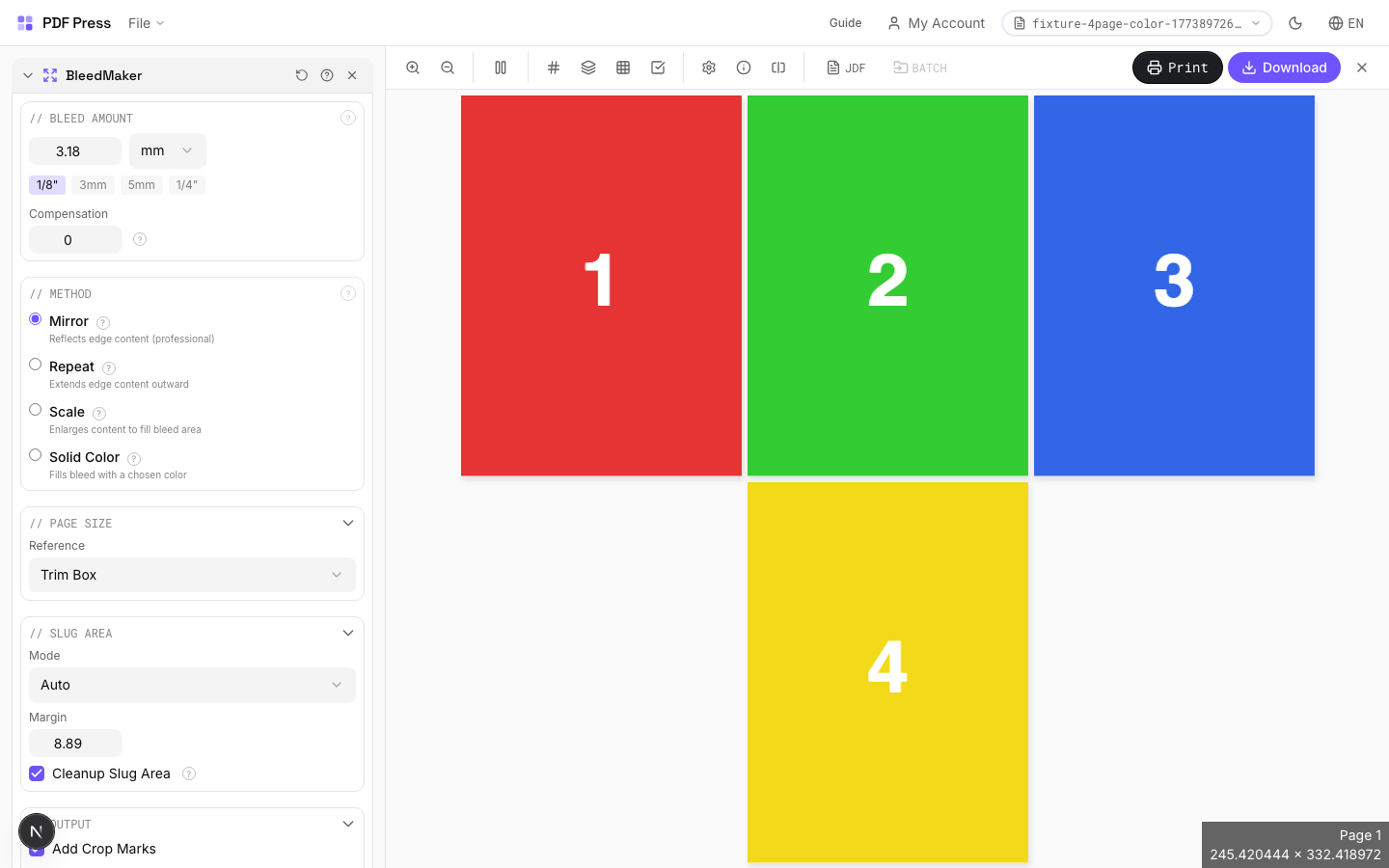
Direct answer
What is add bleed to PDF?
Adds bleed area around pages so artwork extends past the trim edge — prevents white strips after cutting.
BleedMaker extends your page dimensions by the specified bleed amount on all four sides. Two methods: Scale enlarges the existing content to fill the bleed zone (best for full-bleed photos and illustrations), Solid Color fills the bleed area with a flat color (best for designs with solid-color edges). Use this as a pre-press step before Cards, Grid, or Booklet when your source files lack built-in bleeds.
How to use BleedMaker
Upload files
Start with your source PDF or image files. Processing happens locally in the browser.
Add BleedMaker
Configure Bleed Amount, Method, Pages and any production settings that match the job.
Preview the result
Check page order, marks, scaling, and output geometry before committing the export.
Download output
Export the finished PDF for proofing, press, finishing, or another PDF Press step.
Best use cases
Key settings
Bleed Amount
Set the bleed extension distance — how far artwork extends past the trim edge.
Industry standard: 1/8" (9pt / 3.175mm) for US commercial print, 3mm (8.5pt) for metric markets. Extended bleed (5mm / 14pt) for large-format or packaging. Quick presets set common values instantly. The bleed is added equally on all four sides.
Method
Choose how the bleed area is generated — by scaling content outward or filling with a solid color.
Scale: enlarges the page content proportionally so it extends past the original trim edge into the bleed zone. Preserves vectors and raster quality. Best for full-bleed photographs, illustrations, and designs where edge content can be slightly cropped. Solid Color: fills the bleed area with a chosen color while keeping the original content at its original size. Best for designs with solid-colored borders, white backgrounds, or when scaling would distort important edge content.
Pages
Specify which pages to process using a range expression.
Examples: 'all' = every page. '1-5' = pages 1 through 5. '1,3,5' = specific pages. '1-10 odd' = odd pages 1-9. '2-20 even' = even pages 2-20. 'last' = last page. 'last-2' = third from last. Ranges are 1-based. Combine with commas: '1-5, 8, 12-15'.
Preview
Visual representation showing the trim area (inner box) surrounded by the bleed zone (dashed outer border).
Expert tip
BleedMaker synthetically extends artwork into the bleed zone by mirroring edge pixels. It rescues files delivered with no bleed. 3 mm is the minimum for commercial print; 5 mm for packaging.
Synthetic bleeds work well on solid colours and gradients but produce visible artefacts on photos or patterns that have hard edges at the trim line.
Production recipes using BleedMaker
Saddle-Stitch with Bleeds
Saddle-stitch booklet with synthetic bleed generation for artwork delivered without bleeds.
Business Cards (No-Bleed Rescue)
Business cards from artwork delivered without bleeds.
Frequently asked questions
What is the BleedMaker tool used for?
Adds bleed area around pages so artwork extends past the trim edge — prevents white strips after cutting.
Who should use add bleed to PDF?
It is built for designers and printers rescuing files delivered at trim size. Common use cases include Pre-Press Prep, Missing Bleeds, Full-Bleed Designs, Before Imposition.
Do my PDF files upload to a server?
No. PDF Press runs the PDF processing workflow in your browser, so your files stay on your device.
Can I use BleedMaker with other PDF Press tools?
Yes. You can combine it with other PDF Press tools in a multi-step workflow, then preview and export the final PDF.