Cards imposition tool
Use PDF Press to arrange business cards, postcards, labels, and tickets on press sheets. It is built for print shops, designers, and prepress operators, with local browser processing and a live preview before export.
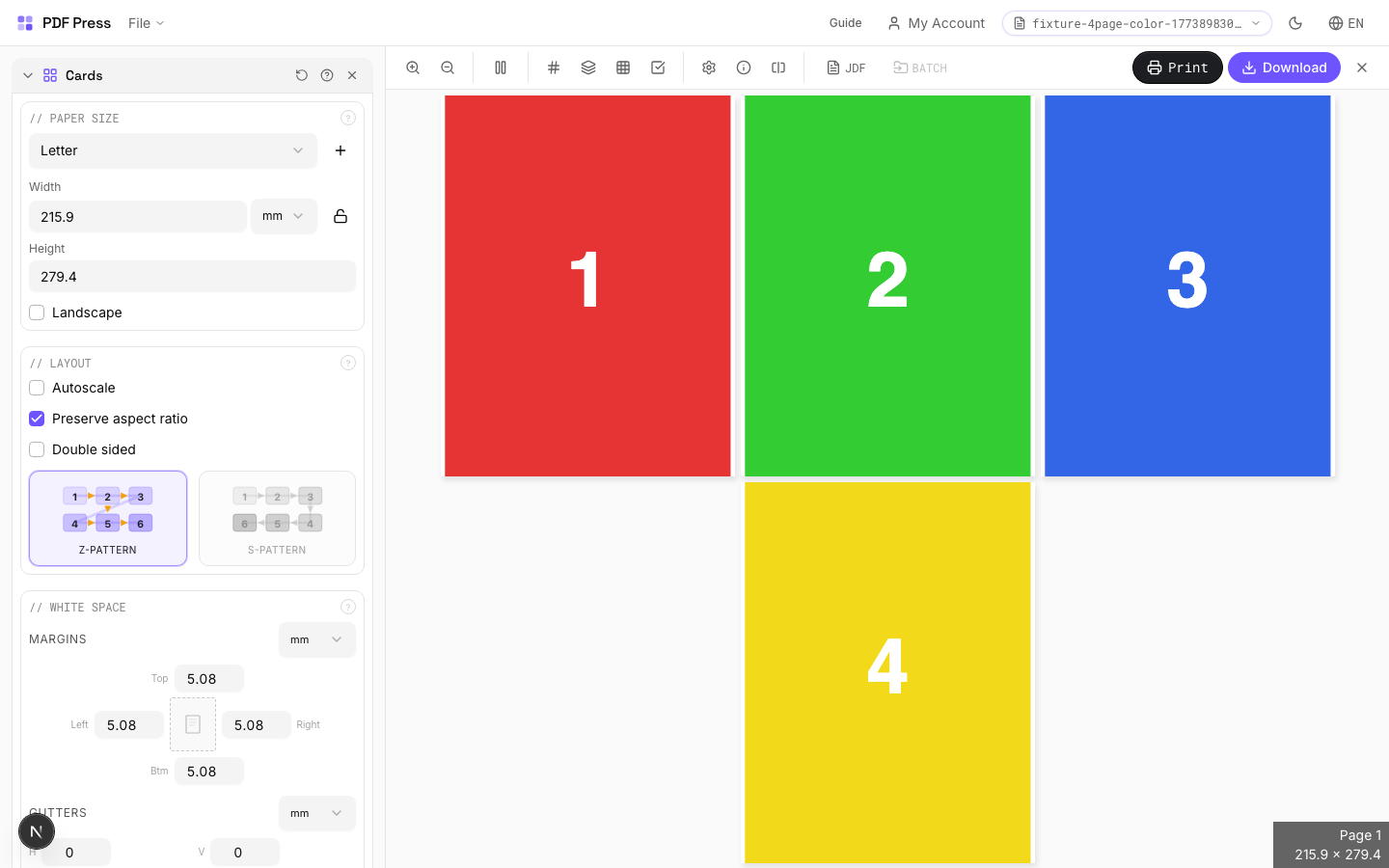
Direct answer
What is cards imposition?
Tiles identical copies of your pages onto larger sheets for efficient cutting.
Creates a grid of repeated identical items from your design. Set the output sheet size, then the engine calculates optimal row/column counts based on page dimensions, margins, and gutters. Use crop marks for precise guillotine trimming. For different pages in each cell, use Grid instead.
How to use Cards
Upload files
Start with your source PDF or image files. Processing happens locally in the browser.
Add Cards
Configure Paper Size, White Space, Printer's Marks and any production settings that match the job.
Preview the result
Check page order, marks, scaling, and output geometry before committing the export.
Download output
Export the finished PDF for proofing, press, finishing, or another PDF Press step.
Best use cases
Key settings
Paper Size
Sets the output sheet dimensions. This is the physical paper going through your printer or press.
Standard presets: Letter (8.5×11in), Legal (8.5×14in), Tabloid (11×17in), A4 (210×297mm), A3 (297×420mm). Landscape swaps width↔height. Lock icon links dimensions to preserve aspect ratio. Custom lets you enter any size in inches, mm, or points (1in = 72pt = 25.4mm).
White Space
Controls margins around the sheet edges and gutters between items in the grid.
Left margin = space from the left sheet edge to the first column. Top margin = space from the top edge to the first row. Horizontal gutter = gap between columns. Vertical gutter = gap between rows. All values are in your selected unit (inches/mm/points). 'Center output on page' distributes leftover space evenly instead of anchoring content to the top-left corner.
Printer's Marks
Adds trim guides and alignment marks outside the live area for accurate cutting and registration.
Crop marks: short lines at each corner showing where to trim. Center marks: crosshairs at sheet midpoints for front/back alignment on duplex jobs. Line length (default 0.43in/31pt): how long each mark line extends. Line thickness (default 0.014in/1pt): mark stroke weight. Line distance (default 0.139in/10pt): gap between the mark and the artwork edge. Four-color black: prints marks in C+M+Y+K for visibility on color proofs. Knockout: adds a white halo around marks so they show on dark backgrounds.
Bleeds
Extends artwork beyond the trim edge to prevent white strips after cutting.
Three modes: 'No bleeds' trims exactly at the page boundary. 'Pull from document' uses bleed info already embedded in the PDF (TrimBox/BleedBox metadata). 'Fixed' lets you manually set bleed on each side, typically 3mm (0.125in / 9pt) for commercial print, 1-2mm for digital. Bleed values define how far past the trim edge the artwork extends.
Layout
Controls fill pattern, columns, rows, scaling, and duplex pairing.
Z-pattern: fills left→right, top→bottom (standard Western reading order). S-pattern (snake): reverses alternating rows: useful when cutting strips horizontally and stacking. Double-sided: pairs page 1 (front) with page 2 (back) for duplex. Columns×Rows is auto-calculated from sheet/page dimensions: override manually for a specific count. Step-and-repeat fills the entire sheet with copies of each page before moving to the next.
Expert tip
Pull bleeds from the document whenever possible. This preserves the designer's original bleed artwork and avoids synthetic artefacts. Set gutters to 0 for cards that share a cut line to get the most items per sheet.
If the source has no TrimBox or BleedBox metadata, switch to Fixed bleeds at 0.125 in / 3 mm.
Production recipes using Cards
Business Cards
Standard multi-up business card layout on a press sheet.
Business Cards (No-Bleed Rescue)
Business cards from artwork delivered without bleeds.
Postcards
Multi-up postcards (4x6 or A6) on press sheets.
Rack Cards
4x9 inch rack cards imposed for multi-up printing.
Frequently asked questions
What is the Cards tool used for?
Tiles identical copies of your pages onto larger sheets for efficient cutting.
Who should use cards imposition?
It is built for print shops, designers, and prepress operators. Common use cases include Business Cards, Postcards, Labels, Tickets, Hang Tags.
Do my PDF files upload to a server?
No. PDF Press runs the PDF processing workflow in your browser, so your files stay on your device.
Can I use Cards with other PDF Press tools?
Yes. You can combine it with other PDF Press tools in a multi-step workflow, then preview and export the final PDF.