Rotate PDF pages online
Use PDF Press to rotate PDF pages by standard or custom angles. It is built for operators fixing orientation, feed direction, or duplex backup issues, with local browser processing and a live preview before export.
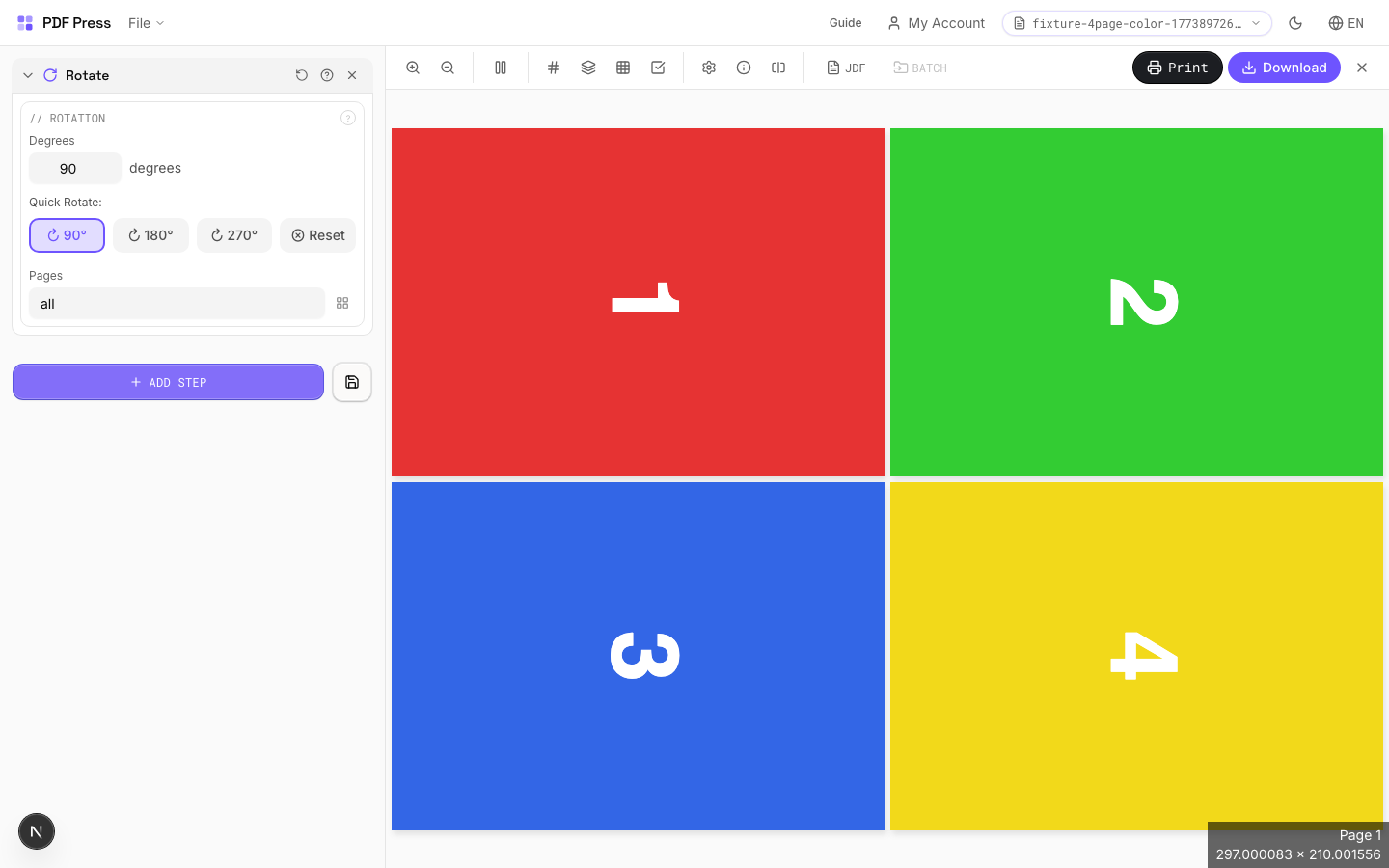
Direct answer
What is rotate PDF?
Rotates pages by any angle — use presets for 90/180/270 or enter a custom degree value.
Rotation is applied around the page center. Positive values rotate clockwise. Common use: fixing landscape scans, rotating for duplex alignment, or preparing artwork for press. Non-90° rotations increase the bounding box to fit rotated content without clipping.
How to use Rotate
Upload files
Start with your source PDF or image files. Processing happens locally in the browser.
Add Rotate
Configure Rotation and any production settings that match the job.
Preview the result
Check page order, marks, scaling, and output geometry before committing the export.
Download output
Export the finished PDF for proofing, press, finishing, or another PDF Press step.
Best use cases
Key settings
Rotation
Set the rotation angle and optionally limit to specific pages.
Quick presets: 90° (quarter turn CW), 180° (upside down), 270° (quarter turn CCW / 90° CCW). Reset returns to 0°. Custom angles: enter any value for non-standard rotations. Page range lets you rotate only specific pages (e.g., rotate just the cover or odd pages).
Expert tip
90-degree rotation switches between portrait and landscape feed direction. For landscape A4 on a portrait-feed press, rotate 90 CW so the gripper edge is correct.
Rotating by arbitrary angles (not multiples of 90) enlarges the MediaBox and may cause unexpected clipping on press.
Production recipes using Rotate
Landscape Rotation
Rotate pages from portrait to landscape (or vice versa) for press feed direction.
Frequently asked questions
What is the Rotate tool used for?
Rotates pages by any angle — use presets for 90/180/270 or enter a custom degree value.
Who should use rotate PDF?
It is built for operators fixing orientation, feed direction, or duplex backup issues. Common use cases include Orientation Fix, Landscape/Portrait, Press Prep.
Do my PDF files upload to a server?
No. PDF Press runs the PDF processing workflow in your browser, so your files stay on your device.
Can I use Rotate with other PDF Press tools?
Yes. You can combine it with other PDF Press tools in a multi-step workflow, then preview and export the final PDF.