Flip PDF pages horizontally or vertically
Use PDF Press to mirror PDF pages for transfer, backup, and duplex workflows. It is built for screen printers, transfer printers, and prepress operators, with local browser processing and a live preview before export.
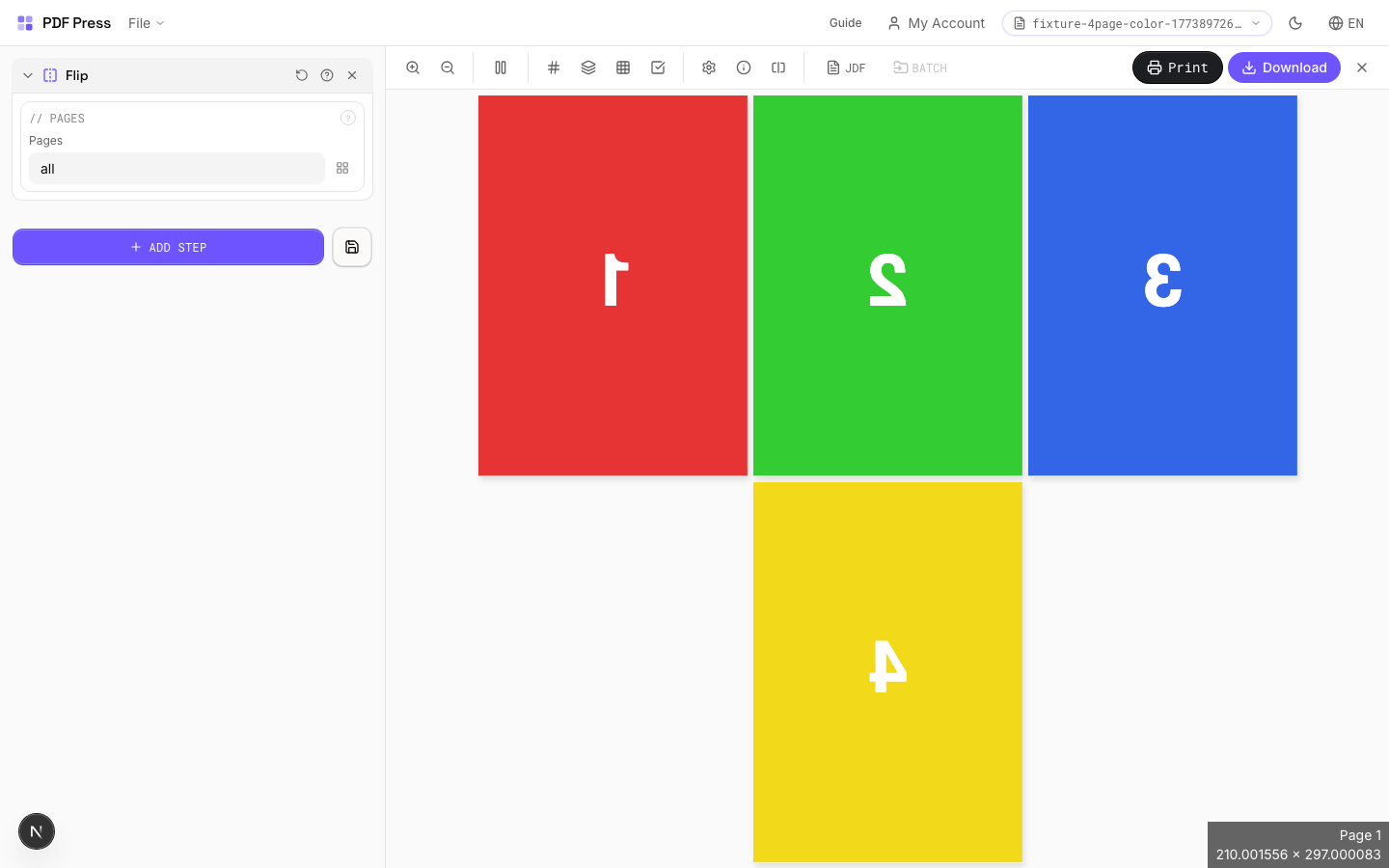
Direct answer
What is flip PDF pages?
Mirrors pages horizontally — creates a left-right mirror image.
Essential for iron-on transfers (text reads correctly after transfer), screen printing films, and plate-making workflows where the emulsion side must face the plate. Applied to all pages in the specified range.
How to use Flip
Upload files
Start with your source PDF or image files. Processing happens locally in the browser.
Add Flip
Configure Pages and any production settings that match the job.
Preview the result
Check page order, marks, scaling, and output geometry before committing the export.
Download output
Export the finished PDF for proofing, press, finishing, or another PDF Press step.
Best use cases
Key settings
Pages
Specify which pages to process using a range expression.
Examples: 'all' = every page. '1-5' = pages 1 through 5. '1,3,5' = specific pages. '1-10 odd' = odd pages 1-9. '2-20 even' = even pages 2-20. 'last' = last page. 'last-2' = third from last. Ranges are 1-based. Combine with commas: '1-5, 8, 12-15'.
Expert tip
Horizontal flip is for work-and-tumble backup; vertical flip is for work-and-turn. Always flip before imposition, not after, so registration stays consistent.
Flipping a page with text will mirror the text. This is intentional for backup alignment but will produce unreadable output if applied to a front-side layout by mistake.
Production recipes using Flip
Work and Tumble
Flip backup for work-and-tumble duplex printing method.
Frequently asked questions
What is the Flip tool used for?
Mirrors pages horizontally — creates a left-right mirror image.
Who should use flip PDF pages?
It is built for screen printers, transfer printers, and prepress operators. Common use cases include Transfer Print, Screen Print, Mirror Image, Plate Making.
Do my PDF files upload to a server?
No. PDF Press runs the PDF processing workflow in your browser, so your files stay on your device.
Can I use Flip with other PDF Press tools?
Yes. You can combine it with other PDF Press tools in a multi-step workflow, then preview and export the final PDF.