Resize PDF pages for print
Use PDF Press to scale PDF pages to target paper sizes while preserving proportions. It is built for print shops converting between A-series, Letter, Tabloid, and custom sheet sizes, with local browser processing and a live preview before export.
Direct answer
What is resize PDF?
Scales pages to different dimensions: by percentage or to a target paper size.
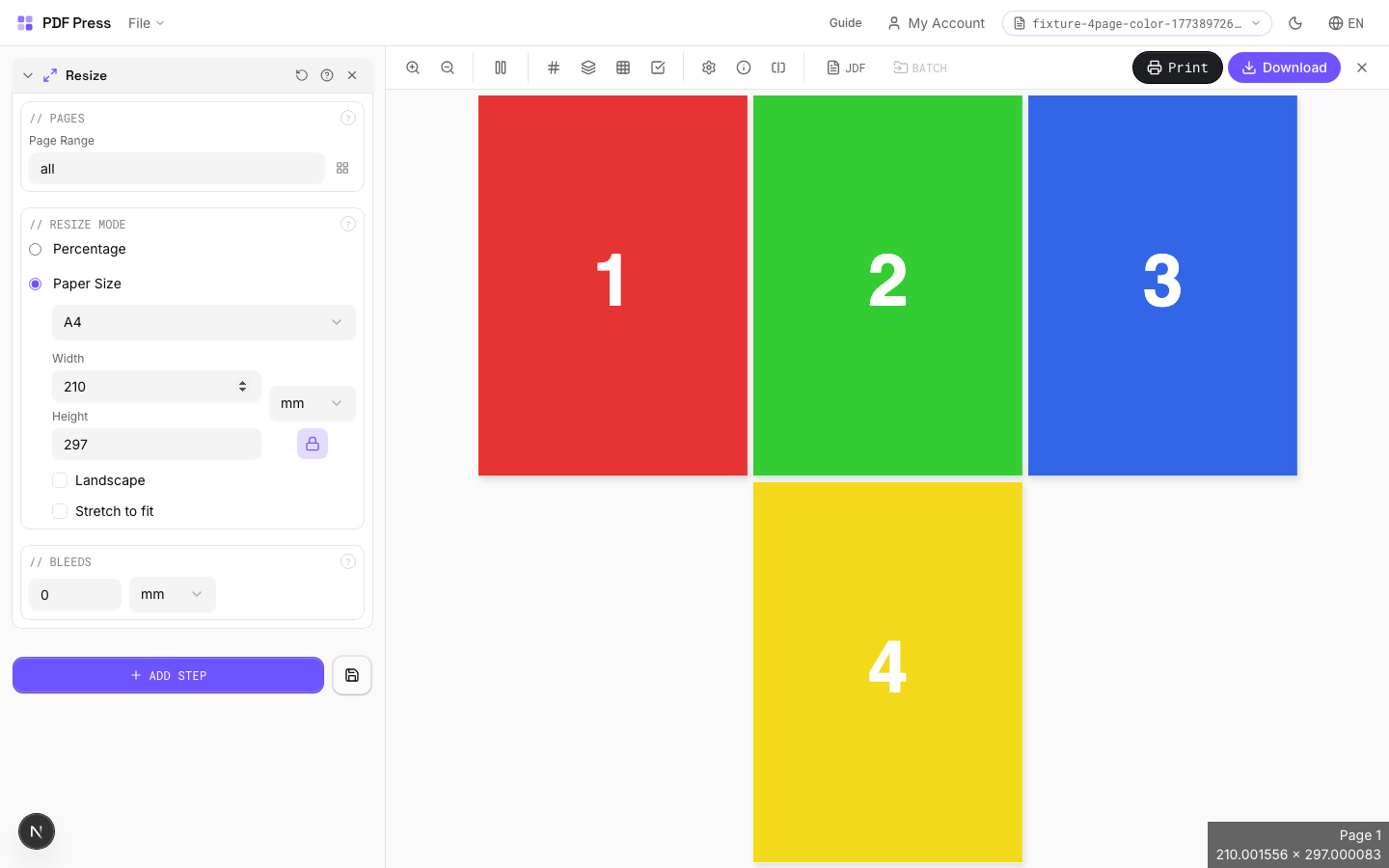
Two modes: Percentage scaling (50% = half size, 100% = no change, 200% = double). Paper size mode fits pages onto a target sheet (Letter, A4, etc.). With 'Preserve aspect ratio' enabled (recommended), pages scale uniformly and center on the sheet without distortion.
How to use Resize
Upload files
Start with your source PDF or image files. Processing happens locally in the browser.
Add Resize
Configure Pages, Resize Mode, Bleeds and any production settings that match the job.
Preview the result
Check page order, marks, scaling, and output geometry before committing the export.
Download output
Export the finished PDF for proofing, press, finishing, or another PDF Press step.
Best use cases
Key settings
Pages
Specify which pages to process using a range expression.
Examples: 'all' = every page. '1-5' = pages 1 through 5. '1,3,5' = specific pages. '1-10 odd' = odd pages 1-9. '2-20 even' = even pages 2-20. 'last' = last page. 'last-2' = third from last. Ranges are 1-based. Combine with commas: '1-5, 8, 12-15'.
Resize Mode
Choose percentage scaling or fitting to a target paper size.
Percentage: applies a uniform scale factor to all pages. Common values: 50% (half), 71% (A4→A5), 141% (A5→A4), 200% (double). Paper size: select a target sheet and pages are scaled to fit. Larger pages are shrunk, smaller ones are enlarged. Aspect ratio preservation prevents distortion.
Bleeds
Extends artwork beyond the trim edge to prevent white strips after cutting.
Three modes: 'No bleeds' trims exactly at the page boundary. 'Pull from document' uses bleed info already embedded in the PDF (TrimBox/BleedBox metadata). 'Fixed' lets you manually set bleed on each side, typically 3mm (0.125in / 9pt) for commercial print, 1-2mm for digital. Bleed values define how far past the trim edge the artwork extends.
Expert tip
When scaling for a different press sheet, keep Preserve aspect ratio on to avoid stretching. Use absolute dimensions (points or mm) instead of percentages for repeatable results across jobs.
Scaling raster-heavy PDFs up beyond 150% will produce visible pixelation. Request higher-resolution source files instead of scaling up.
Production recipes using Resize
Zine / Mini Booklet
Small-format DIY zine from a single sheet of paper (8-page or 16-page fold).
Banner Printing
Wide-format banners with tiling for roll-fed printers.
Trade Show Panels
Multi-panel trade show displays split for separate printing and assembly.
Floor Graphics
Floor decals and wayfinding graphics with contour cutting.
Frequently asked questions
What is the Resize tool used for?
Scales pages to different dimensions: by percentage or to a target paper size.
Who should use resize PDF?
It is built for print shops converting between A-series, Letter, Tabloid, and custom sheet sizes. Common use cases include Scaling, Paper Conversion, Proofing.
Do my PDF files upload to a server?
No. PDF Press runs the PDF processing workflow in your browser, so your files stay on your device.
Can I use Resize with other PDF Press tools?
Yes. You can combine it with other PDF Press tools in a multi-step workflow, then preview and export the final PDF.