Shuffle PDF pages for print workflows
Use PDF Press to reorder, reverse, repeat, rotate, and insert PDF pages. It is built for operators preparing custom collation, cut-and-stack jobs, and scan cleanup, with local browser processing and a live preview before export.
Direct answer
What is shuffle PDF pages?
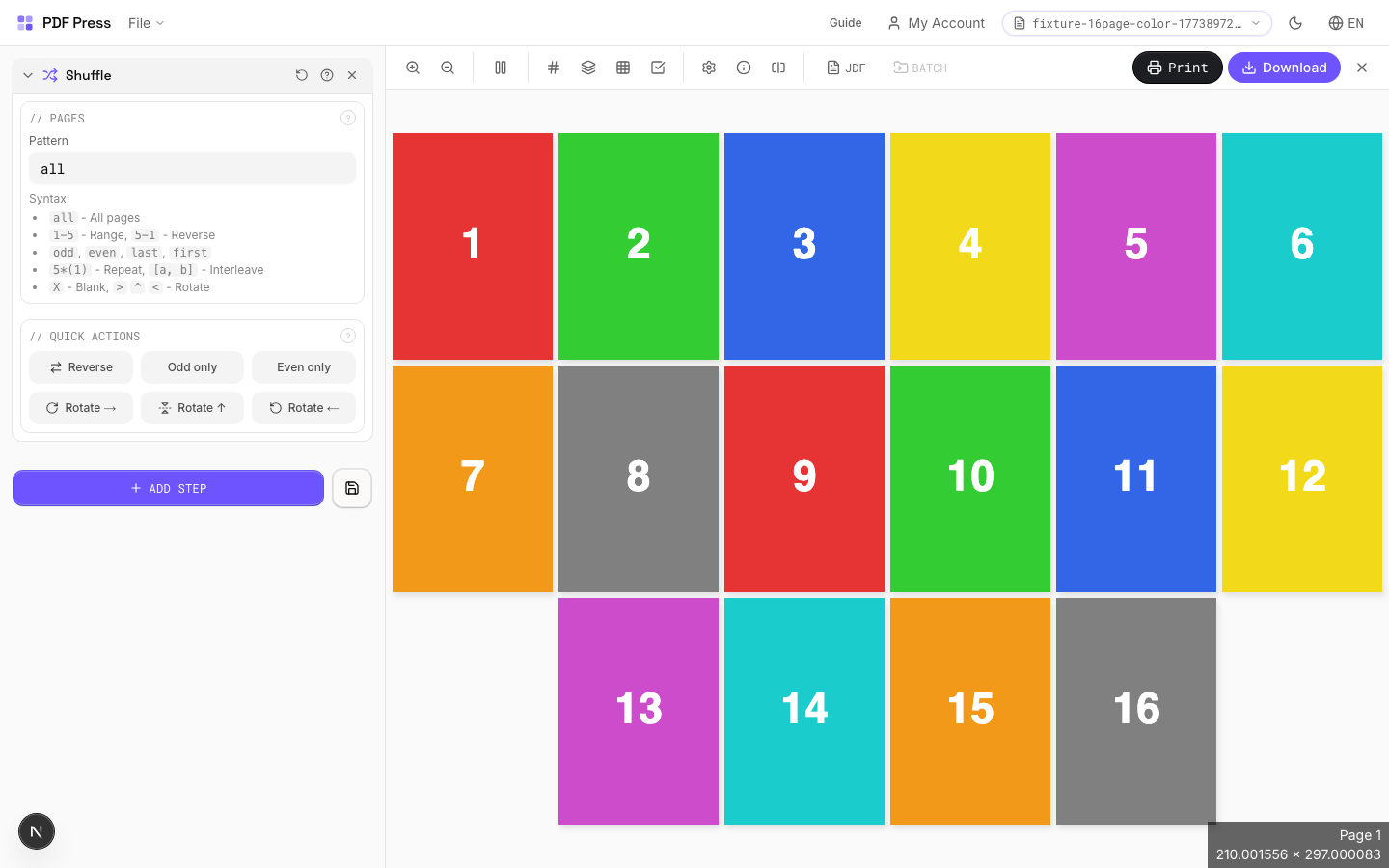
Reorders pages using a flexible expression language: reverse, interleave, rotate, or rearrange freely.
Accepts page range expressions with support for odd/even filters, last-page references, rotation suffixes (> ^ <), repetition multipliers, grouped patterns, and blank page insertion (X). Powerful for creating custom collation sequences.
How to use Shuffle
Upload files
Start with your source PDF or image files. Processing happens locally in the browser.
Add Shuffle
Configure Pages, Quick Actions and any production settings that match the job.
Preview the result
Check page order, marks, scaling, and output geometry before committing the export.
Download output
Export the finished PDF for proofing, press, finishing, or another PDF Press step.
Best use cases
Key settings
Pages
Enter a page expression to define the new order. Examples: 'all', '1-5', 'odd', 'last-1'.
Advanced syntax: '5*(1)' repeats page 1 five times. '[odd, even]' interleaves odd and even pages. 'last-1' reverses all pages. Append > for 90° rotation, ^ for 180°, < for 270°. 'group 3: 3 2 1' reverses within groups of 3. 'X' inserts a blank page.
Quick Actions
One-click presets for common page reordering tasks.
Reverse All: flips document back-to-front. Odd/Even Split: separates for simplex scanning. Interleave: merges two halves of a split duplex scan. Each preset fills the page expression: customize further after applying.
Expert tip
Shuffle reorders pages for cut-and-stack numbering (NCR forms, raffle tickets, etc.). Set the stack height to match your guillotine cut count so the sequential numbers end up in order after cutting and stacking.
Page count must be evenly divisible by the stack height. If it is not, the last stack will be short and the numbering sequence breaks.
Production recipes using Shuffle
Numbered Tickets
Sequential numbered tickets with cut-and-stack imposition.
Cut-and-Stack Numbering
Sequential numbering with cut-and-stack page ordering for tickets, NCR forms, or raffle books.
Frequently asked questions
What is the Shuffle tool used for?
Reorders pages using a flexible expression language: reverse, interleave, rotate, or rearrange freely.
Who should use shuffle PDF pages?
It is built for operators preparing custom collation, cut-and-stack jobs, and scan cleanup. Common use cases include Collation, Reordering, Duplex Prep, Custom Sequences.
Do my PDF files upload to a server?
No. PDF Press runs the PDF processing workflow in your browser, so your files stay on your device.
Can I use Shuffle with other PDF Press tools?
Yes. You can combine it with other PDF Press tools in a multi-step workflow, then preview and export the final PDF.