Insert pages into a PDF
Use PDF Press to add blank pages, separator sheets, and repeated pages into PDFs. It is built for operators preparing duplex files, books, packets, and bindery inserts, with local browser processing and a live preview before export.
Direct answer
What is insert pages into PDF?
Inserts pages from another PDF at specified positions: interleave blanks, dividers, or slip sheets.
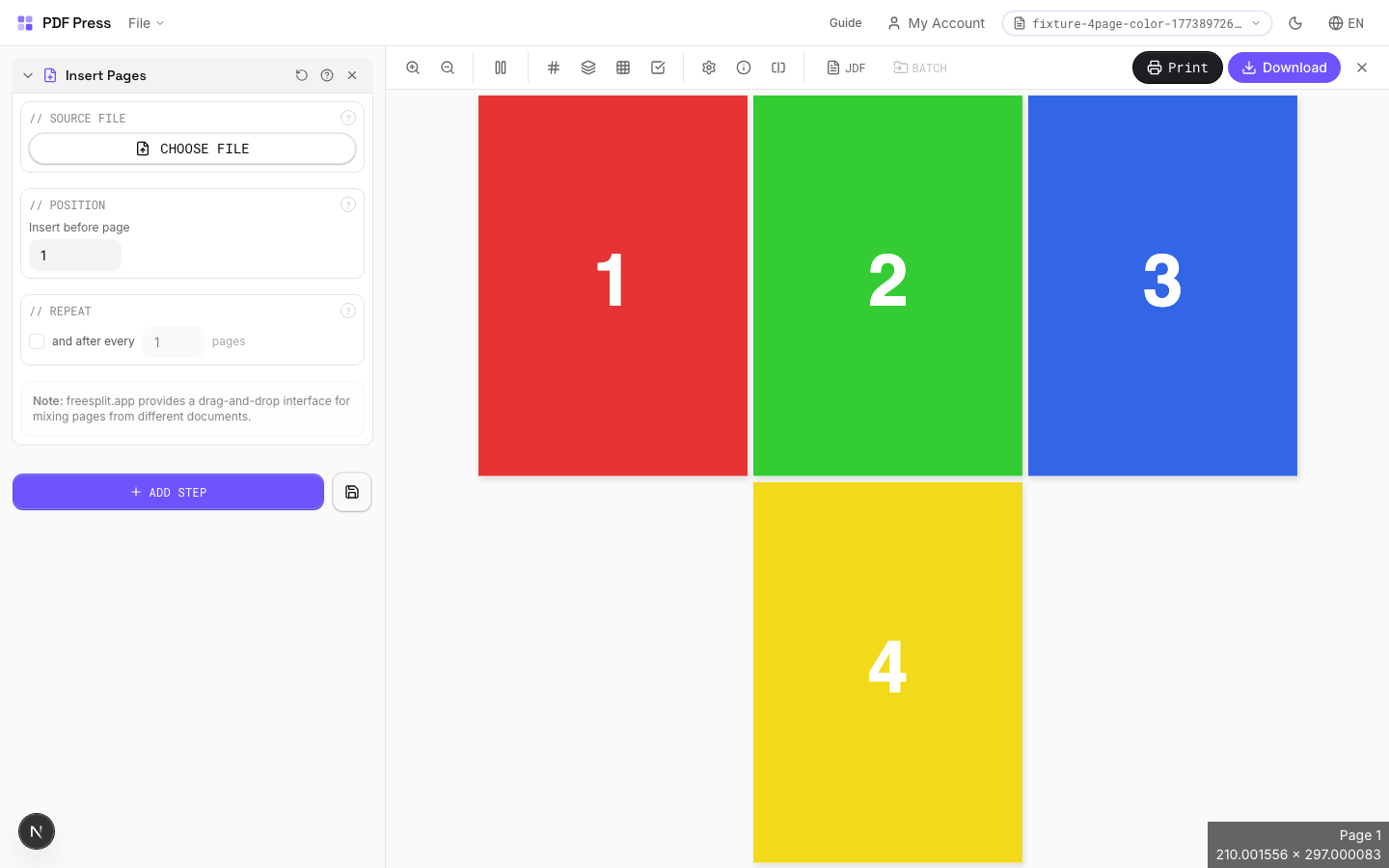
Upload a secondary PDF and specify where its pages should be inserted into your document. Use repeat insertion to add a page at regular intervals (e.g., a divider every 10 pages). Useful for adding blank pages for duplex, interleaving carbon copies, or inserting chapter dividers.
How to use Insert Pages
Upload files
Start with your source PDF or image files. Processing happens locally in the browser.
Add Insert Pages
Configure Source File, Position, Repeat and any production settings that match the job.
Preview the result
Check page order, marks, scaling, and output geometry before committing the export.
Download output
Export the finished PDF for proofing, press, finishing, or another PDF Press step.
Best use cases
Key settings
Source File
Upload the PDF whose pages will be inserted into the main document.
Position
Set the page number before which the inserted pages appear.
Page 1 places the insert at the very beginning of the document. Higher numbers position the insert further into the document.
Repeat
Insert the page at regular intervals throughout the document.
When enabled, the source pages are inserted before the specified page and then again after every N pages. Useful for recurring dividers, slip sheets between signatures, or regular blank page insertion for duplex alignment.
Expert tip
Insert Pages adds separator sheets, blank backs for duplex jobs, or tip-in cards at fixed intervals. Set the repeat interval to insert at every Nth page for consistent placement.
Inserted pages shift all subsequent page numbers. Update your table of contents or index references after insertion.
Frequently asked questions
What is the Insert Pages tool used for?
Inserts pages from another PDF at specified positions: interleave blanks, dividers, or slip sheets.
Who should use insert pages into PDF?
It is built for operators preparing duplex files, books, packets, and bindery inserts. Common use cases include Slip Sheets, Dividers, Duplex Blanks, Carbon Copies.
Do my PDF files upload to a server?
No. PDF Press runs the PDF processing workflow in your browser, so your files stay on your device.
Can I use Insert Pages with other PDF Press tools?
Yes. You can combine it with other PDF Press tools in a multi-step workflow, then preview and export the final PDF.